 AB Design
AB Design
AB Design
Due to concern about Google's long list of privacy violations and the need in general for improved online security, I decided to test a handful of the best alternative Android keyboards.
This article assesses three of the most popular: Naver's Smartboard, Fleksy, and the all-new FUTO keyboard. My opinions are based on look and feel, ease of customization, privacy issues, and editing features such as autocorrect and predictive text. I didn't look at swipe typing as I don't use it, nor did I consider emojis, emoticons, or anything else aimed more at texting than long-form writing.
Offered by South Korean internet giant Naver, this is an excellent keyboard for both Android and iOS devices. It's bundled with over 100 themes, great functionality, and a user-friendly interface to get things set up and customized in no time at all.
Themes range from plain colors and gradients to some unusually creative designs you wouldn't normally expect to find on a keyboard. Problem is, many of these themes are fairly low contrast and/or use background images that partially obscure some of the keys. DIY themes are an option, too. The design below is one I set up using artwork for the iconic 1990s TV show, The X Files.
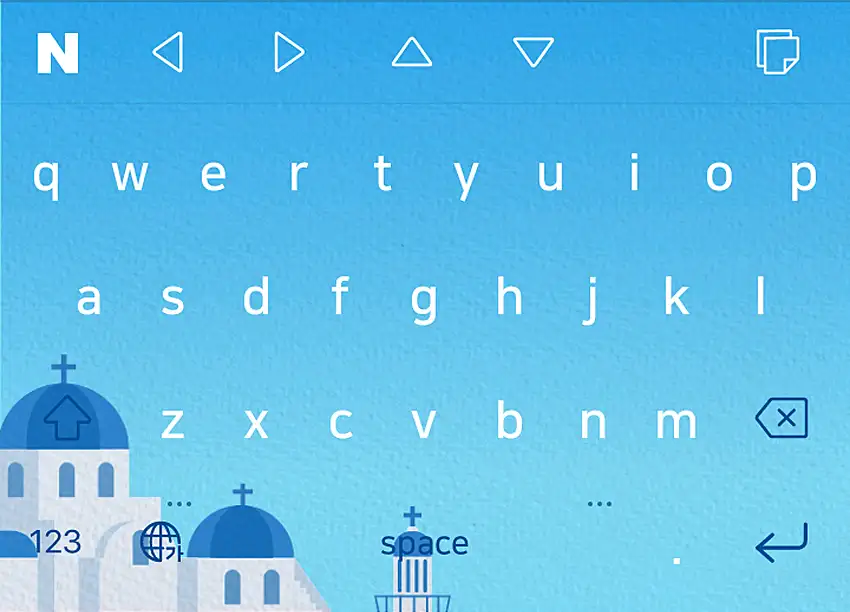
As well as showing typing suggestions, the toolbar can be configured to display four perfectly-positioned arrow keys. The spacebar can be used for editing, too. Giving it a long press turns the keyboard into a sort of laptop-style trackpad that can shift the cursor left, right, up and down. These are superb features – as a general rule, I tend to value any tool or gesture that gives users more control over on-page editing.
Autocorrect doesn't work in English and can be disabled via the Lab option in settings. But predictive text works well and suggestions are surprisingly accurate. Auto capitalization also works as expected. I don't know how voice input performs in Korean, but in English it's erratic and largely unusable. This doesn't bother me since I don't use voice typing, but for some users it might be an issue.
By default, a swipe left gesture will open a menu showing what Naver refers to as "autotext". It's basically a user-defined list of words and text snippets that can be individually selected with a tap. Entries can be up to 300 characters in length, and can be edited and reordered to suit whatever project the user is working on. The screenshot below shows some of the entries I used while writing parts of this article.
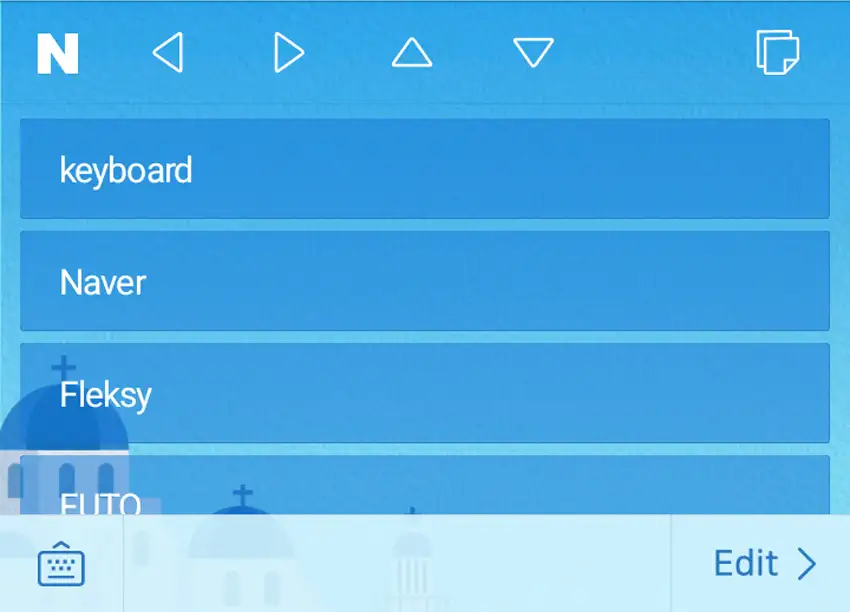
Clipboard management is very good. Entries are displayed in a full-width list and retained until either manually deleted or – if swiped left – added to the autotext menu.
The Naver Smartboard is one of my favorite alternative Android keyboards. The arrow keys are incredibly useful, and autotext is the most innovative re-imagining of traditional shortcuts I've come across.
As with other Naver products, the Smartboard is quality software, popular in South Korea, but little known elsewhere. According to the company's privacy statement, IP addresses and device information may be collected during the use of the service. This data is anonymized and encrypted during transit; Naver does not share user data with third parties.


Fleksy is well known as a viable Android alternative to Google and Samsung keyboards. As well as earning praise for its strong focus on privacy, it has twice won the Guinness World Record for the fastest touchscreen typing.
The keyboard is shipped with dozens of themes, some of which really stand out. Most offer way more contrast than those on the Naver. The keys take a little while to get used to: they're big and bold, and initially feel uncomfortably close to each other. Of the eight typefaces to choose from, I use Montserrat for its simple aesthetics and clarity.
The keyboard doesn't offer cursor arrows as such, but there's an extension in settings that'll add a set of editing functions to the toolbar, including a large button to drag the cursor left and right, and an icon to paste the most recent clipboard entry. An extended press on the spacebar also enables horizontal cursor control.
Autocorrect is usually pretty reliable and text suggestions are frequently spot on. When a suggestion is selected, a space is automatically appended. A nice touch is the swipe left gesture that deletes either the last word typed or whatever word the cursor is sitting in front of. Another nice feature is how the keyboard reverts to its QWERTY layout when a space is entered after a number or special character.

Fleksy's core strength is its privacy-focused design that avoids exfiltration of data. Though it naturally requires some access to what you type to understand and predict your typing patterns, it doesn't exploit your information for monetary gains or expose it to third parties. Your hand gestures, typing patterns, text input, and the associated information remains limited to your device only.
Latest Hacking News, 2023Text shortcuts work in much the same way as Google's Gboard, except that users must first enable an extension to get them up and running. Worth noting is that while entries can be deleted, they can't be edited. Another extension allows users to place hotkeys on the toolbar and configure them to display anything from simple phrases and email addresses to entire documents with hundreds of words. Unlike shortcuts, hotkeys are editable. A swipe left or right on the toolbar will bring them into view.
Fleksy is a first-rate keyboard with a well-deserved reputation for privacy and speed. For Android users looking for an alternative to Google and Samsung keyboards, it's long been a preferred option. It's loaded with beautiful themes, impressive functionality and customization options, and more emojis and emoticons than anyone could reasonably wish for.
The all-new FUTO keyboard is a feature-packed design that differs from its competitors in that voice typing is processed on the user's phone rather than cloud servers. For obvious reasons, this will be welcome news for the privacy community. The board is currently a pre-beta release, meaning that minor bugs, imperfections, and design flaws may be encountered from time to time.
Cursor arrows can be enabled via the app's settings; by default they sit at the bottom of the keyboard, below the spacebar. This isn't ideal since the left-most arrow feels misplaced. It's also possible to edit the actions setting and pin cursor arrows to the toolbar. They're fairly small and floated right rather than left, but they work well.
Security and privacy are where the FUTO keyboard shines. Your typing data never leaves your device. This makes FUTO a compelling option for anyone concerned about their privacy.
Android Police, 2025Autocorrect and text suggestions are very good. Voice input is generally spot on too, though transcriptions are far from instant. This is due to speech being processed on the phone, but I do wonder if it might be preferable to sacrifice this privacy gain for a real-time, cloud-based service that's more practical and can actually be used in a production environment.
The backspace key can be configured so that an extended press will delete the last word entered (or whatever word is behind the cursor), while an extended press and swipe left can be used to delete entire rows of words. Clipboard management is the best I've come across – users can choose how many entries to retain and for how long. These are thoughtfully-designed features that do a lot to enhance productivity.
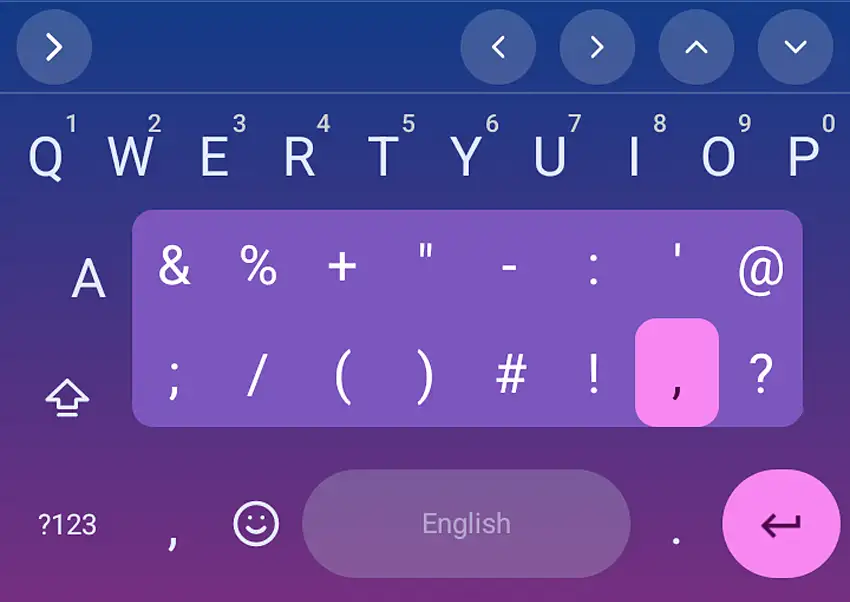
One thing I really like is how an extended press on the period key opens a small popup with a menu of frequently-used special characters. It's something I've not seen on other Android keyboards. The screenshot below shows the popup in action.
FUTO's entry into this competitive sector is a nice piece of work and a solid Android alternative to keyboards offered by Google, Samsung, and Microsoft. It's highly customizable and easy to adapt to.
But while there's a lot to admire about the FUTO, I found the overall typing experience slightly less satisfactory than on the other boards: I misspelled words more often; there's too little space either side of the period key; and the small, low-contrast cursor arrows don't feel quite as "robust" as I'd like.

Via is one of the fastest browsers for Android. It's also one of the most feature rich and battery efficient. So why is it so fast, and what else makes it different?

Paywalls are a near-universal feature of the internet media landscape, but how do users perceive them, dnd what's the easiest and most effective way to bypass them?